


Baseline gives you the overview. FireHub keeps it up to date
FireHub Baseline is the first step: FireHub goes through the documentation you have and shows what is documented, what is missing and who has to answer.
What you have
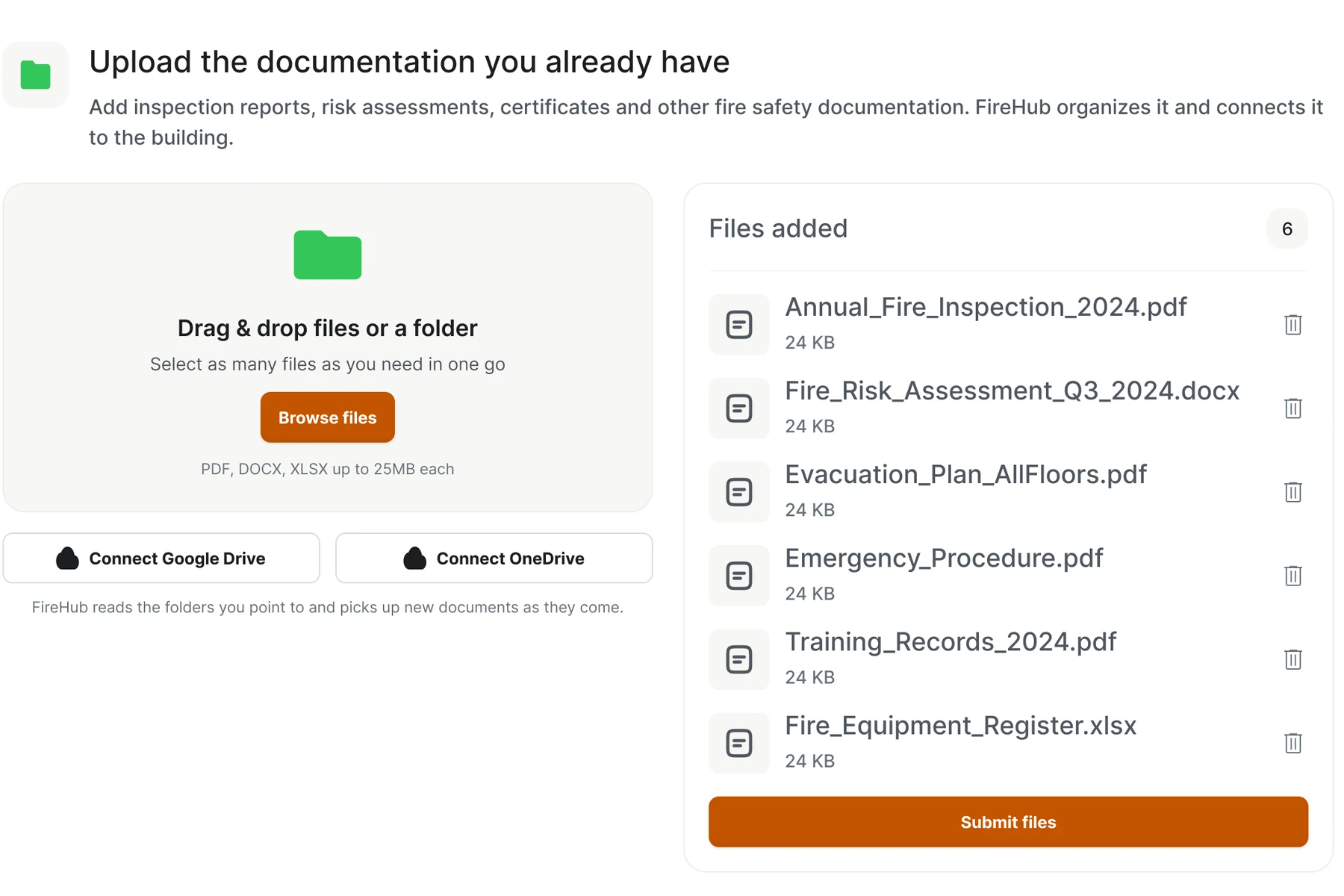
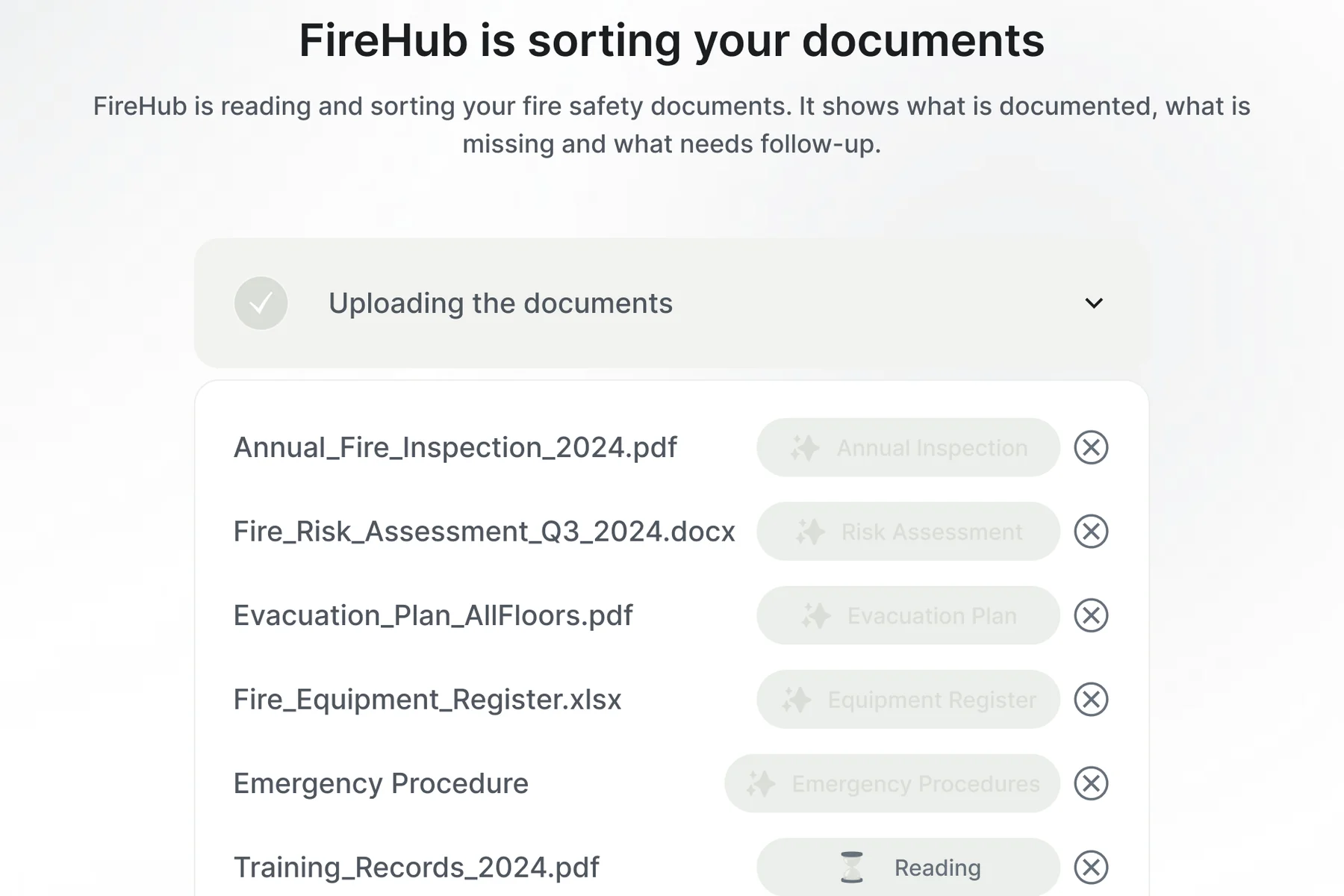
You upload the documents you have to FireHub, and FireHub reads them.

What you come away with
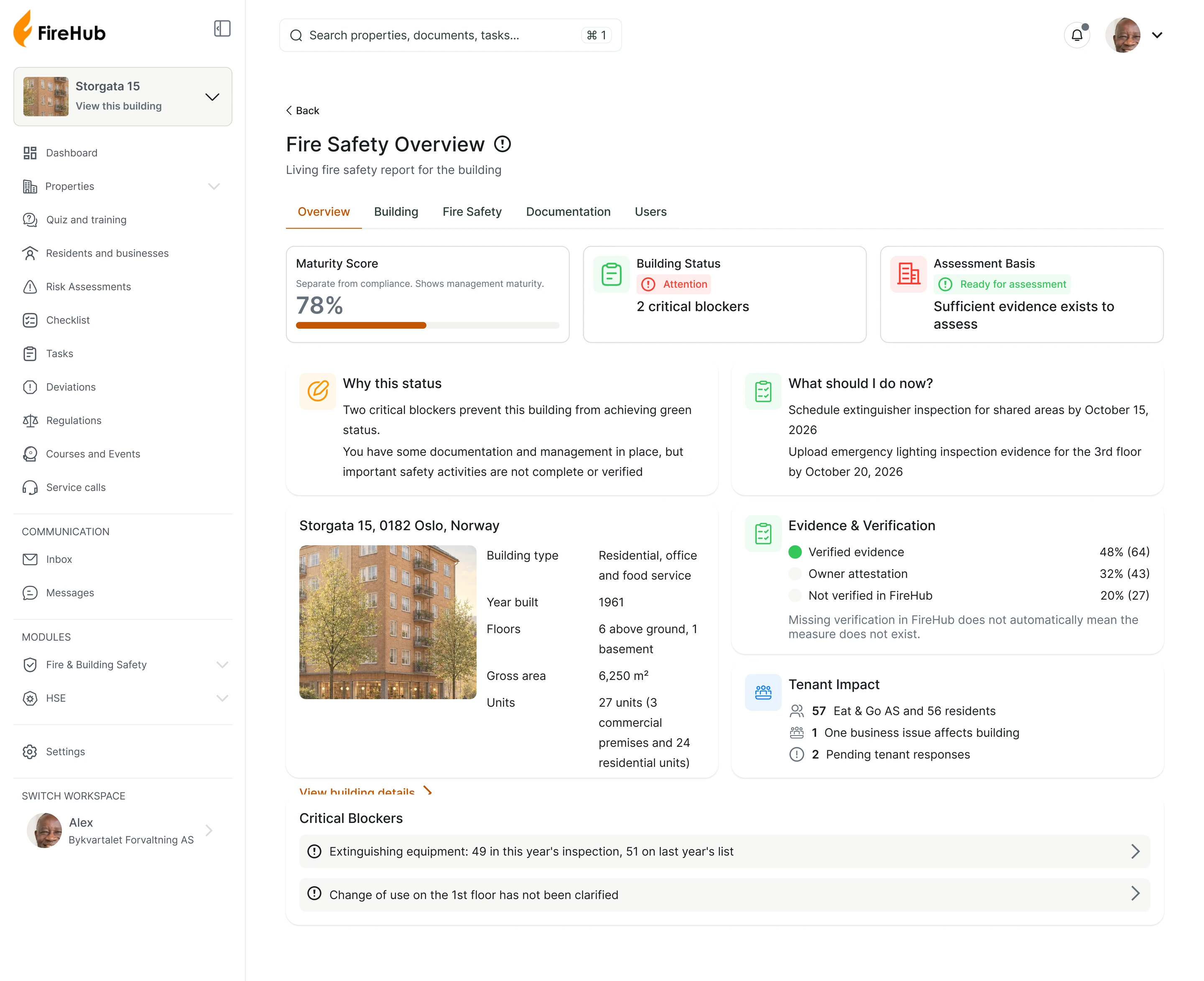
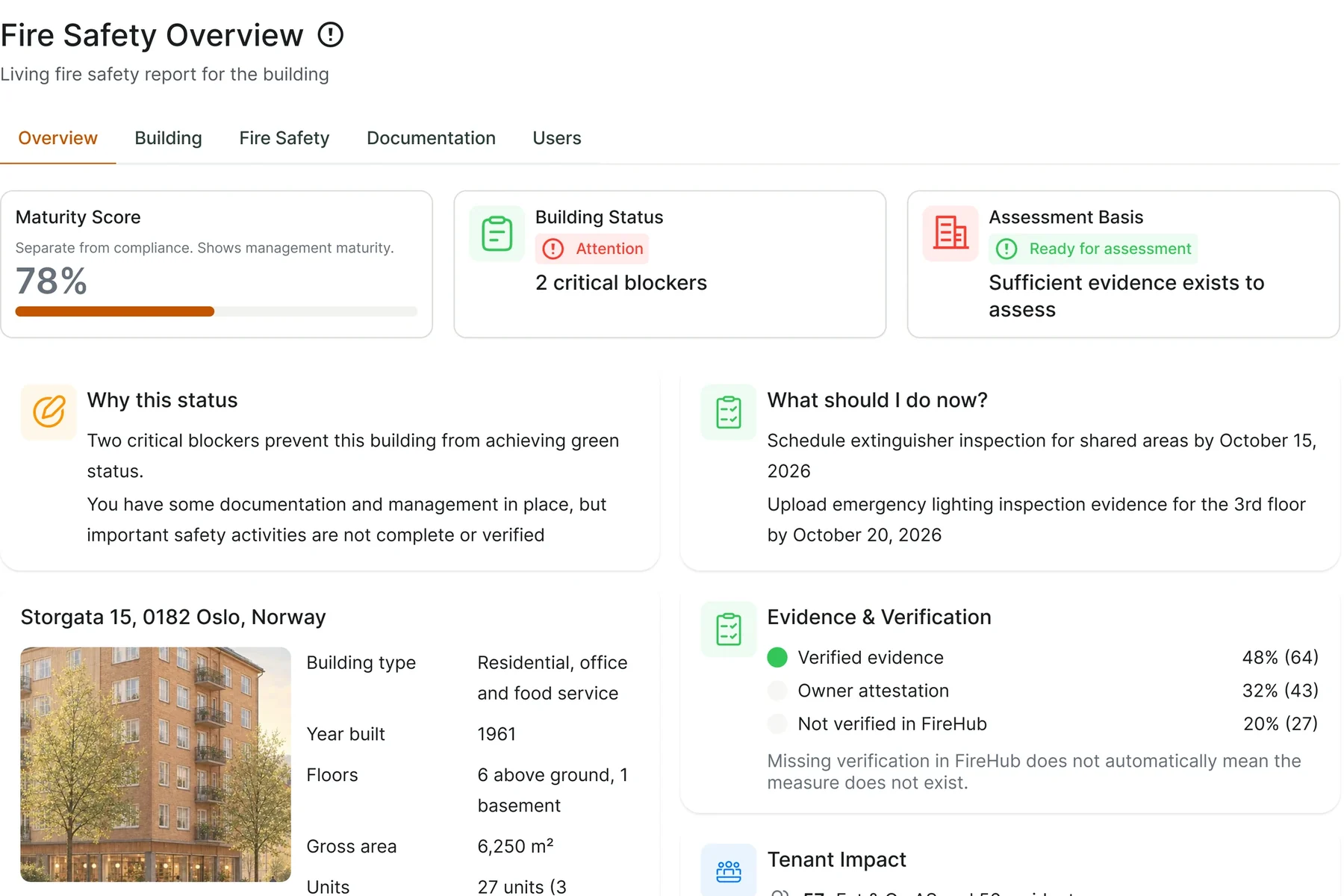
You get a single picture of the building, with the source behind every important point.
What is documented is shown as documented. What is missing or still unclear stays open until it has been clarified.
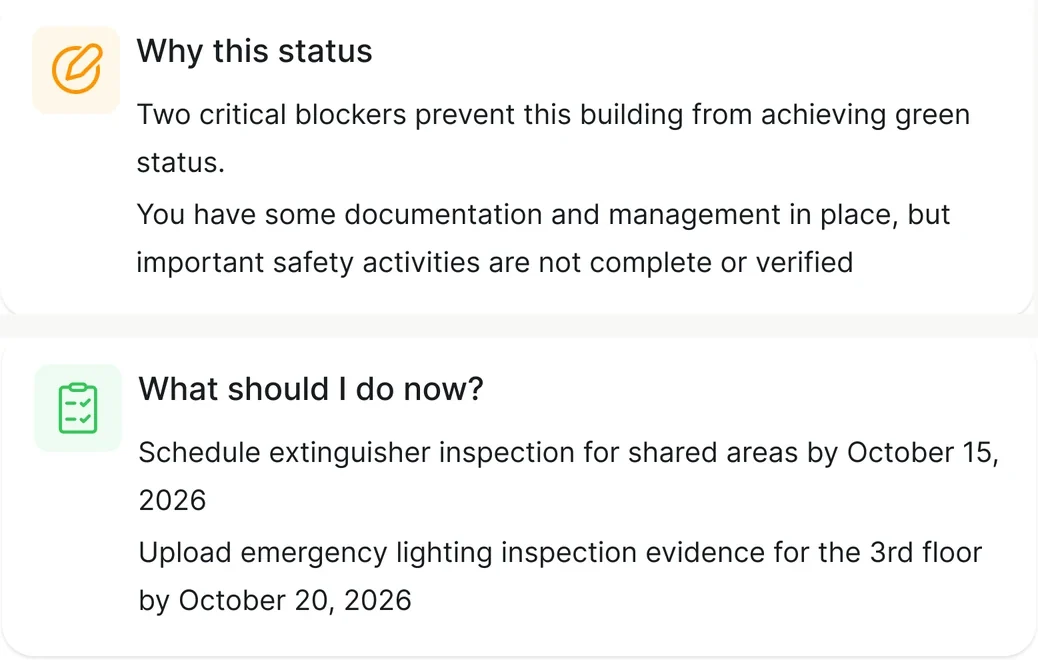
- 1Building statusRed, yellow or green. Critical issues keep the building out of green.
- 2Why this statusThe explanation is in plain language, not a code.
- 3What needs doingTasks with a deadline, a priority and a person responsible.
- 4What it is based onEach item shows whether it is documented, confirmed by the owner or not verified.
- 5Maturity scoreShows how well documentation and follow-up fit together. The number alone does not decide whether the building gets green status.
What has not been found is shown as unknown. Never as a deviation.
Not verified means that FireHub has not seen the documentation, not that the measure is missing.
FireHub makes it easier to meet and document the duties under Forskrift om brannforebygging (Fire Prevention Regulations), Brann- og eksplosjonsvernloven (Fire and Explosion Protection Act) and Internkontrollforskriften (Internal Control Regulations). Responsibility still lies with the owner and the user.
Read the articleWe are now taking on the first buildings in Norway
We are opening FireHub in batches and following each customer closely from the start.
We start with the documentation you already have and set up the building in FireHub. From there, we look together at how FireHub fits into your actual work, what needs you have and which parts give the most value.
If you have a building you'd like to start with in FireHub, get in touch.
Get in touch